> ## Documentation Index
> Fetch the complete documentation index at: https://docs.coval.ai/llms.txt
> Use this file to discover all available pages before exploring further.
# Benchmarks
> Compare speech-to-text and text-to-speech providers on your own audio and text.
**Beta.** Benchmarks is a beta feature and may change.
**Benchmarks** compare speech-to-text (**STT**) and text-to-speech (**TTS**) providers on the same data, so you can see how each performs on your own audio and text before choosing one for your voice agent. Find them under **Benchmarks → STT** and **Benchmarks → TTS** in the sidebar.
## When to use a benchmark instead of a simulation
A [simulation](/concepts/simulations/overview) runs a full, multi-turn conversation against your agent to see how it behaves end to end. A benchmark is narrower: it's a quick, single-turn test that runs one input (a piece of audio or text) through each provider and measures accuracy and latency. Use a benchmark when you just want to compare STT or TTS providers in isolation — picking a transcription or voice model — without setting up an agent, personas, or a full conversation.
## What each measures
| | STT | TTS |
| ------------------ | ---------------------------------------------- | -------------------------------------------- |
| **You provide** | Audio files (with reference transcripts) | Text prompts |
| **Primary metric** | Word Error Rate (WER) — lower is more accurate | Time to First Audio (TTFA) — lower is faster |
| **Also measured** | P95 WER, average and P95 latency | P50/P95 TTFA, total latency, audio duration |
Coval runs every dataset item against every provider you select and reports the average and p95 (worst case) for each metric.
## Running a benchmark
Each page has four tabs: **Results**, **Past Runs**, **Datasets**, and **Custom Endpoints**.
The input every provider runs on — audio files for STT, text prompts for TTS. Use a built-in **Coval** template or create your own under **Datasets**.
Select from Coval's catalog (Deepgram, OpenAI, AssemblyAI, ElevenLabs, Google, Azure, Amazon, and more) or add your own provider, model, and API key under **Custom Endpoints**.
Click **New Test**, choose your dataset and endpoints, set concurrency and timeout, and launch.
## Reading the results
The **Results** tab compares providers across runs: line charts for WER and latency over time, and a per-model heatmap for the latest run (green best, red worst) you can sort by any column. Filter by dataset or model, open a run for the per-item breakdown, and click a result to compare the reference against the provider's output.
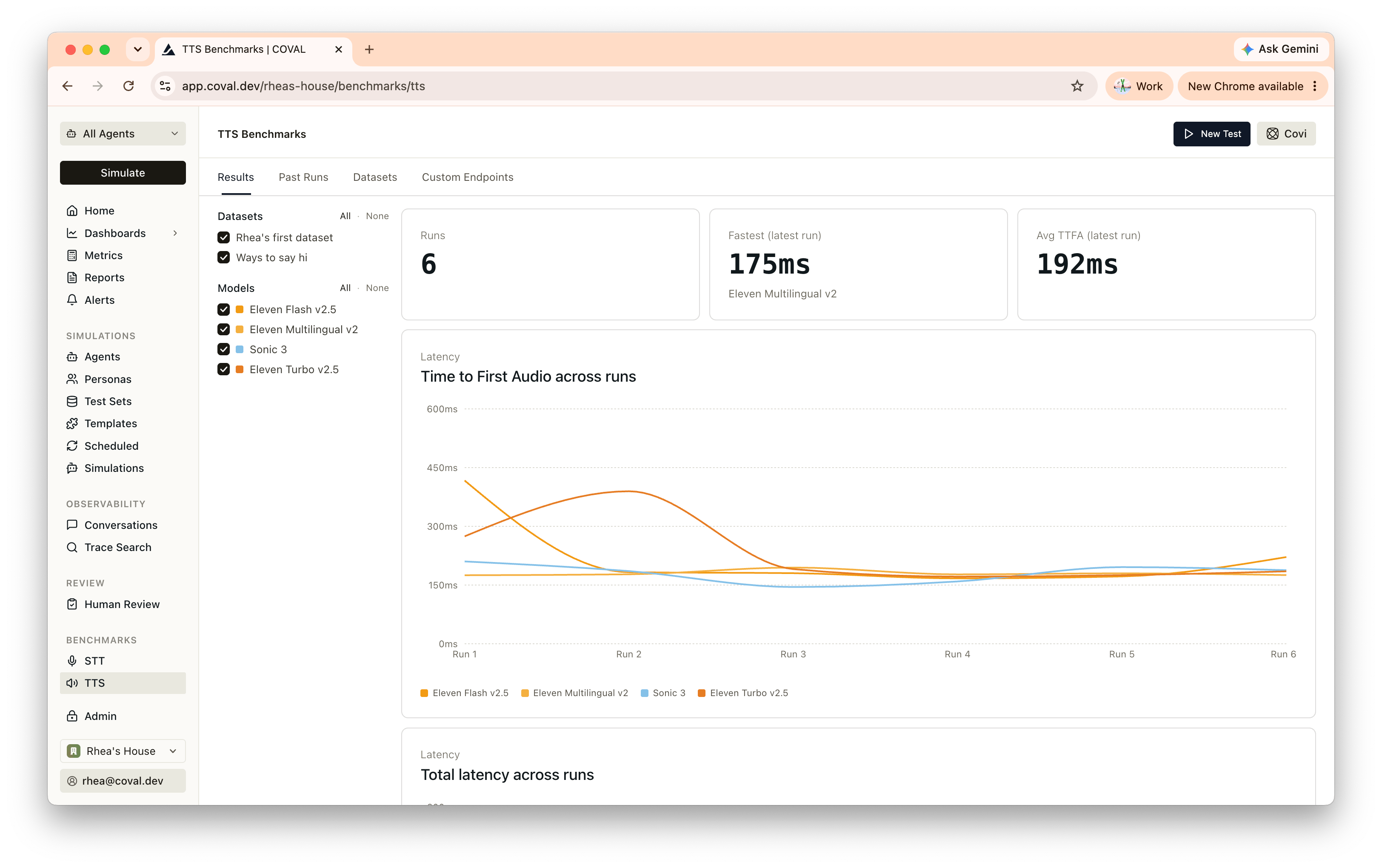 Re-run the same dataset after a model change to catch regressions.
| | Limit |
| ------------------- | ---------------- |
| Audio file size | 10 MB |
| Audio duration | 300 seconds |
| TTS text length | 2,000 characters |
| Items per dataset | 200 |
| Providers per run | 10 |
| Concurrent requests | 10 |
Supported audio formats: WAV, MP3, MP4, M4A, FLAC, OGG, WebM.
Re-run the same dataset after a model change to catch regressions.
| | Limit |
| ------------------- | ---------------- |
| Audio file size | 10 MB |
| Audio duration | 300 seconds |
| TTS text length | 2,000 characters |
| Items per dataset | 200 |
| Providers per run | 10 |
| Concurrent requests | 10 |
Supported audio formats: WAV, MP3, MP4, M4A, FLAC, OGG, WebM.