> ## Documentation Index
> Fetch the complete documentation index at: https://docs.coval.ai/llms.txt
> Use this file to discover all available pages before exploring further.
# Improving Metrics with Human Review
> Use human labels to measure how much you can trust each metric — and tighten the ones that disagree.
A metric is only useful if you can trust its scores. Human review is how you earn that trust: reviewers label real conversations with ground truth, and Coval compares those labels against the metric's output. The disagreements are the signal — they pinpoint the exact conversations the metric gets wrong, which is the strongest guide you have for improving it.
This page assumes you've already collected labels. To set up a project and gather them, see [Human Review Projects](/concepts/metrics/human-review/human-review); for the reviewer's side, see [How to Review a Conversation](/concepts/metrics/human-review/how-to-review).
Human review is supported for a subset of metric types — see [the metric types reviewers can label](/concepts/metrics/human-review/how-to-review#label-each-metric).
## Agreement insights
Once labels come in, Coval turns them into diagnostics:
* **Per-metric agreement rate** — how often the metric matched human ground truth, with a drill-down of the exact conversations that disagreed.
* **Inter-annotator agreement** — for Individual projects, how consistently your reviewers agree with each other. Low human agreement usually means the metric's *definition* is ambiguous — fix the criteria before touching the prompt.
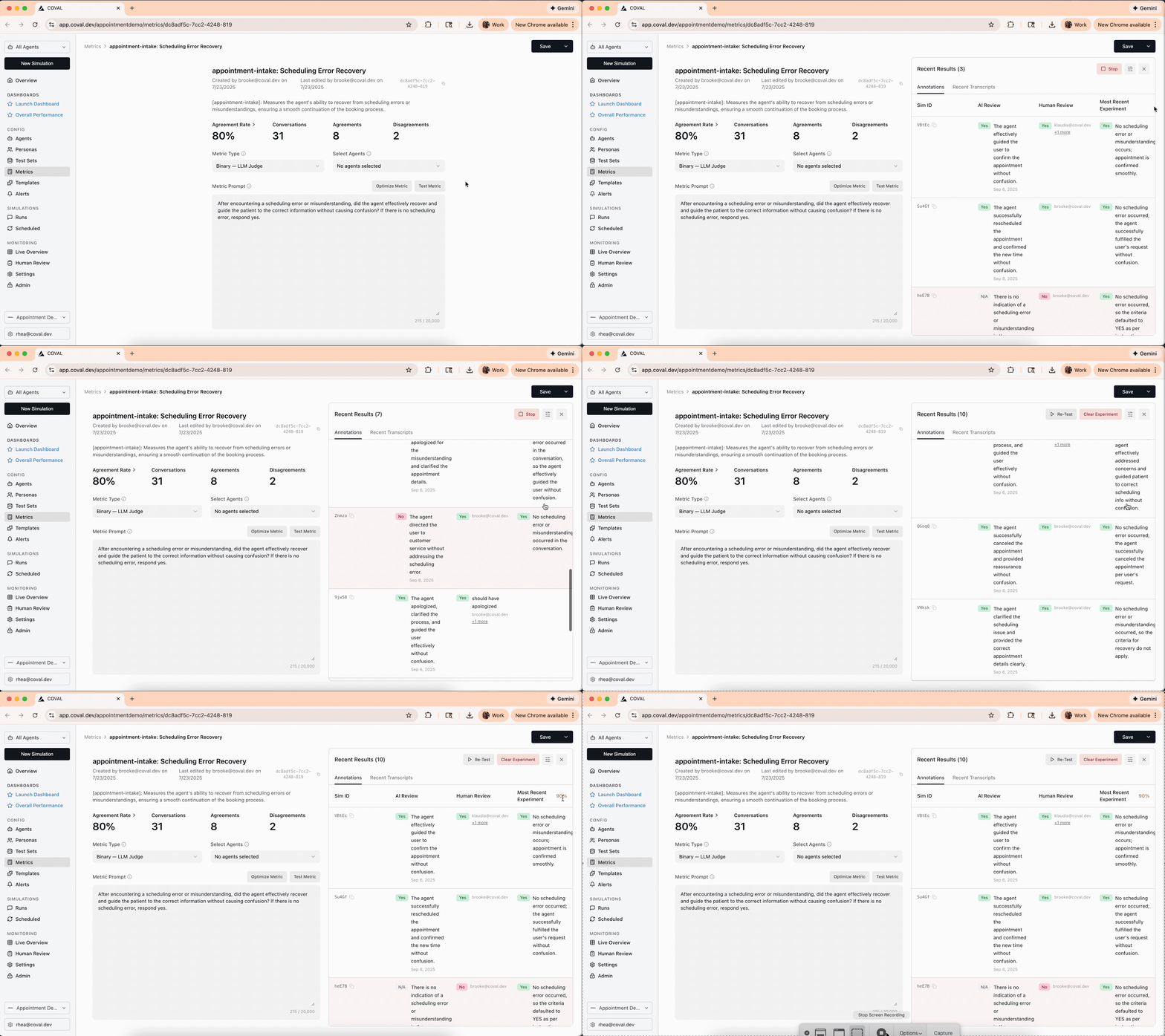
* **Agreement on the metric page** — each reviewed metric shows its agreement stats where you edit it, so you can judge and improve it in one place.
## The improvement loop
Reviewers provide ground truth through a review project.
Check the metric's agreement rate against the human labels.
Read the disagreeing conversations and reviewer notes to see what the metric misses.
Tighten the prompt for exactly those cases. Open the metric in the Metrics tab, draft a new version in the prompt box, and click **Test Metric** to run it against your labeled conversations.
Confirm agreement improved on the ground-truth set before you ship the new version.
 Repeat the loop until agreement plateaus. A metric validated this way becomes a trustworthy, automated stand-in for human judgment on every future run — which is the whole point of the [continuous quality loop](/welcome).