

Beta. Benchmarks is a beta feature and may change.
Benchmarks is enabled per organization and is available on request. If you don’t see it in your sidebar, contact support.
When to use a benchmark instead of a simulation
A simulation runs a full, multi-turn conversation against your agent to see how it behaves end to end. A benchmark is narrower: it’s a quick, single-turn test that runs one input (a piece of audio or text) through each provider and measures accuracy and latency. Use a benchmark when you just want to compare STT or TTS providers in isolation — picking a transcription or voice model — without setting up an agent, personas, or a full conversation.What each measures
Coval runs every dataset item against every provider you select and reports the average and p95 (worst case) for each metric.
Running a benchmark
Each page has four tabs: Results, Past Runs, Datasets, and Custom Endpoints.1
Pick a dataset
The input every provider runs on — audio files for STT, text prompts for TTS. Use a built-in Coval template or create your own under Datasets.
2
Choose providers
Select from Coval’s catalog (Deepgram, OpenAI, AssemblyAI, ElevenLabs, Google, Azure, Amazon, and more) or add your own provider, model, and API key under Custom Endpoints.
3
Run the test
Click New Test, choose your dataset and endpoints, set concurrency and timeout, and launch.
Reading the results
The Results tab compares providers across runs: line charts for WER and latency over time, and a per-model heatmap for the latest run (green best, red worst) you can sort by any column. Filter by dataset or model, open a run for the per-item breakdown, and click a result to compare the reference against the provider’s output.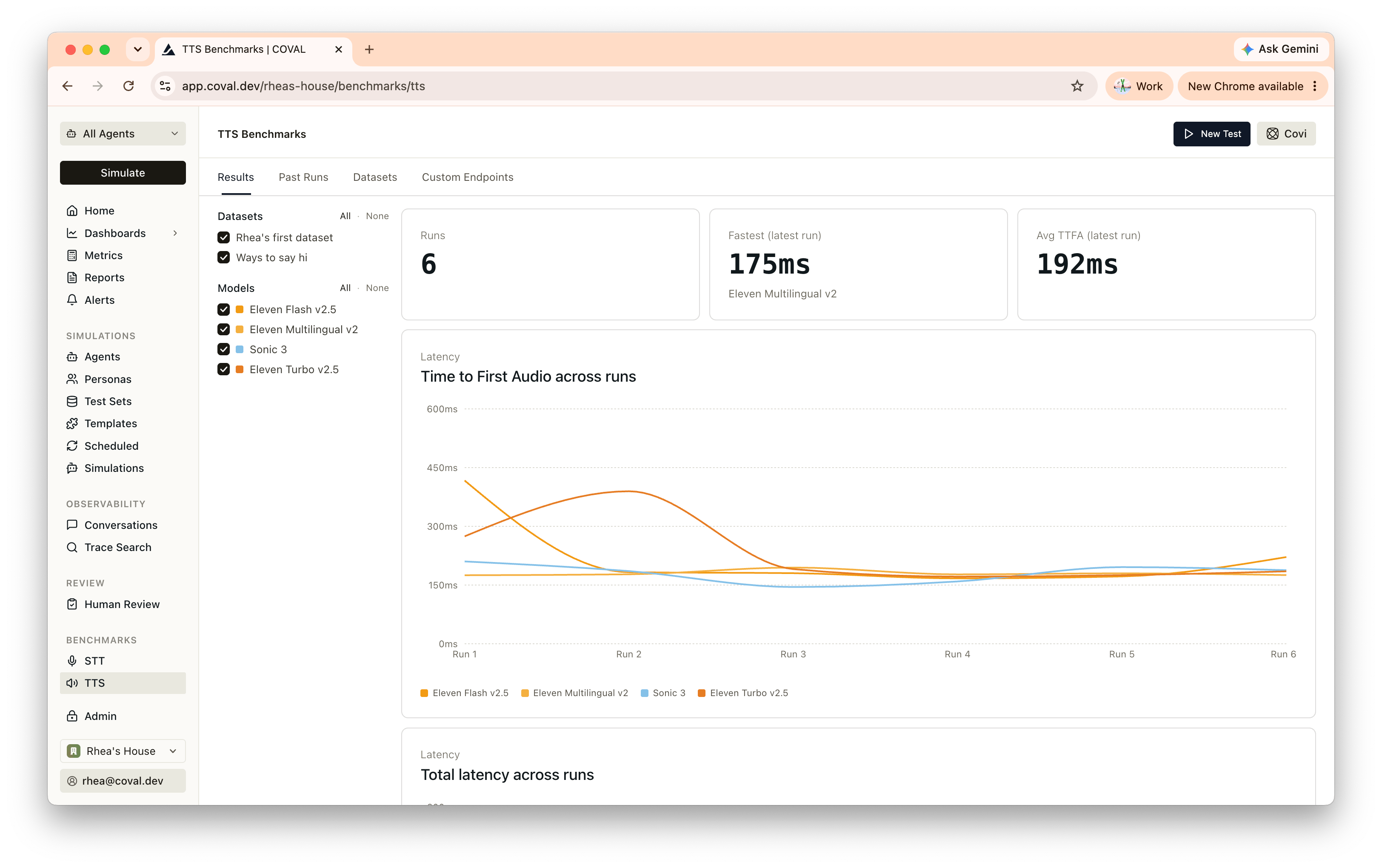
Limits
Limits
Supported audio formats: WAV, MP3, MP4, M4A, FLAC, OGG, WebM.