

Before you start
You need:- An organization admin account in Coval.
- Permission to install or approve apps in your Slack workspace. Your Slack administrator may need to approve the Coval app.
- A Coval workspace with scheduled-investigation coverage.
- A dedicated Slack channel for the beta. Start with a channel that does not include guests and is not shared through Slack Connect.
Coval must enable your organization before the Sofia channel controls appear.
If Sofia channel bindings is missing, or you see Sofia in Slack is not
available yet, ask your Coval contact to confirm your beta access.
Connect Slack
1
Open the Slack integration
In Coval, open Settings > Integrations > Slack.
2
Connect your workspace
Select Connect Slack. In Slack, choose the intended workspace, review
the requested permissions, and approve the installation.Slack lists the app as Coval. This is the app that delivers Sofia’s
daily briefs.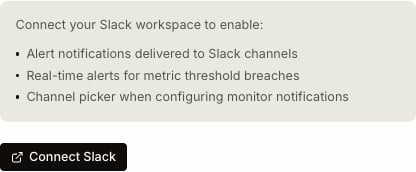
3
Return to Coval
After Slack redirects you back, confirm that Coval shows the correct
connected workspace. If Coval asks you to reconnect, follow the on-screen
reconnect flow before adding a channel.
Bind a channel for the daily brief
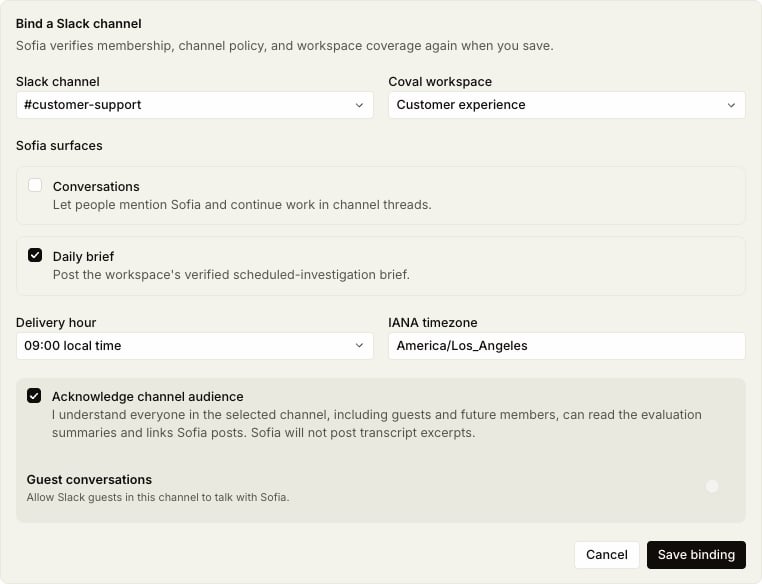
Under Sofia channel bindings, select Add channel, then configure the binding:- Choose the Slack channel.
- Choose the Coval workspace whose investigation findings should appear.
- Turn Conversations off for the initial beta.
- Enable Daily brief.
- Choose the delivery hour and enter an IANA timezone, such as
America/Los_Angeles. - Read and accept the channel-audience acknowledgement.
- Select Save binding.
Private channels
Slack does not reveal a private channel to an app until the app has joined it. In the private channel, run: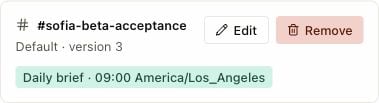
Run the first beta test
Use this small test before adding more channels or people:- Choose the next full delivery hour, leaving enough time to finish setup before that hour begins.
- Confirm the saved binding shows the intended channel, Coval workspace, delivery hour, and timezone.
- Wait for the first scheduled brief. It normally arrives shortly after the selected hour.
- Confirm that exactly one message appears in the bound channel.
- Check that the workspace name, date range, finding summaries, and Coval links are correct.
- Open at least one link and confirm it stays in the intended Coval organization and workspace.
- Confirm that the message contains no transcript excerpts or information that should not be visible to everyone in the channel.
- Keep the binding unchanged for the next hour and confirm that no duplicate brief appears.
Troubleshooting
Beta boundaries
- Start with one Coval workspace and one dedicated internal Slack channel.
- Do not use a Slack Connect channel for the initial test.
- Leave Conversations and guest conversations off unless Coval explicitly enables them for your beta.
- Treat Slack as a summary surface. Review linked evidence in Coval before making a high-impact decision.
- Remove the binding or disconnect Slack from Settings > Integrations > Slack if you need to stop future Sofia messages.